
Visitor guide
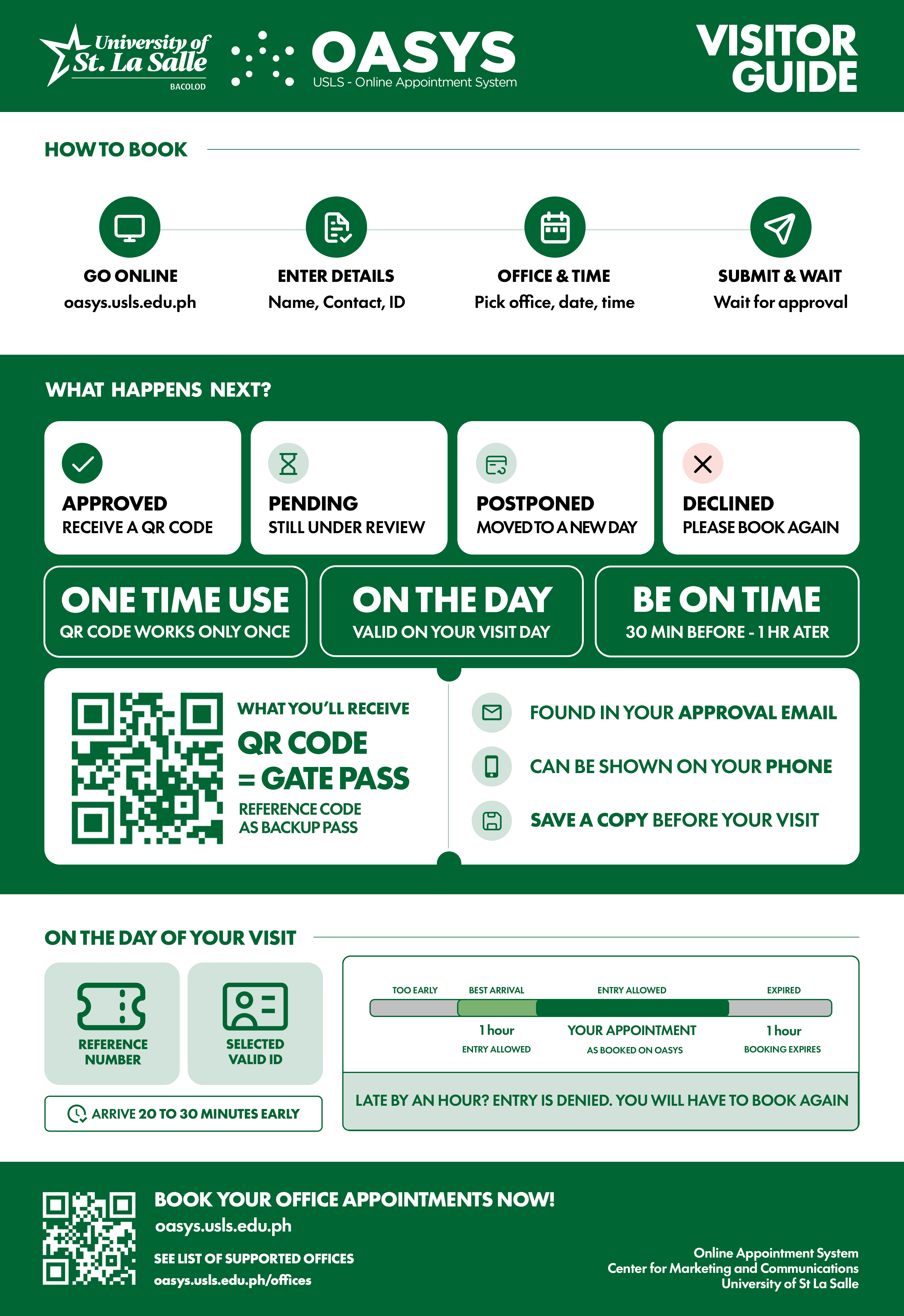
No account is needed to book. You fill in a short form, the office reviews it, and you get an email with your reference number, which is your pass at the gate.
1. Book an appointment
- Open the booking page and click Book an Appointment.
- Your details: full name, phone, email (your updates go here), visitor category, and the valid ID you'll show the guard.
- Coming as a group? Choose Multiple Visitors (up to 10) and enter each person's name and ID. Bringing a vehicle? Add the plate numbers (up to 5).
- Tick the consent box and continue.
- Appointment details: pick the office (grouped by department, or search by name) and the person you're meeting.
- Pick a date, a time, and a duration (30 or 60 minutes), then type the purpose of your visit.
- Check the booking summary and click Submit Appointment.
2. Picking a date and time
- Coloured dots show how open a day is: green available, amber limited, red full.
- Weekends, past days, and days outside the booking window can't be picked.
- Days marked Closed are holidays or campus closures. The reason is listed under the calendar.
- Time slots show how many spots are left. Full, Blocked (the office is unavailable), and Passed slots can't be picked.
- Some offices don't show times. In that case, pick a date and the office will contact you with a time.
The time you pick is a preferred time. It's only confirmed when the office approves your request.
3. After you book
You get a confirmation email right away (status Pending). When the office reviews it, you'll get one of these:
| What it means | |
|---|---|
| Approved | Your visit is confirmed. The email has your reference number and QR code. |
| Postponed | The office moved your visit. The email shows the new date and time. |
| Declined | The office couldn't accept it. You can book another time. |
Please wait for the approval email before going to campus. Keep it: the reference number is your gate pass.
4. On your visit day
- Please arrive at Gate 2 by 20 minutes before your scheduled time. Entry opens 1 hour before the scheduled time. Arriving more than 1 hour after the scheduled time voids the gate entry code.
- Show the guard your reference number or QR code and the valid ID you chose when booking.
- Groups enter together using the booking person's reference number.
- A reference number works once, on the day and time of your visit only.
5. Appointment statuses
| Status | Meaning |
|---|---|
| Pending | The office hasn't reviewed it yet. |
| Approved | Confirmed. You can enter at the gate. |
| Postponed | Moved to a new date or time. |
| Declined | Not accepted. |
| Completed | You've entered campus. |
| Expired | The entry time passed without the pass being used. |
6. Need help?
Contact the office you booked. Their email and phone number are in your booking emails and on the University Offices page.